Tag Archive for: security

Cyber Attackers Exploiting COVID-19

Increased teleworking has provided bad actors with the opportunity to exploit potentially vulnerable services, such as virtual private networks (VPNs).  The attacks may take several different forms.  The Department of Homeland Security (DHS) Cybersecurity and Infrastructure Security Agency (CISA) outlines attacks and suggested steps to prevent them.  Note that this is not an exhaustive list of all potential attacks that may occur.

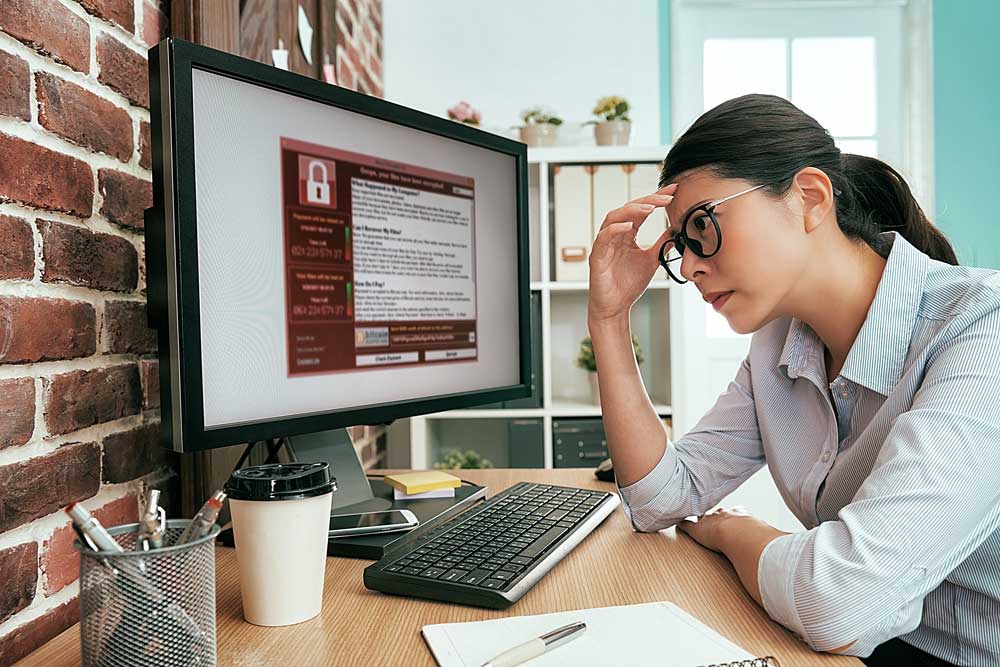
Cybercriminals are using coronavirus-themed phishing messages or malicious applications, often masquerading as trusted entities and deploying a variety of ransomware and other malware. Threats observed include:

  • Phishing, using the subject of coronavirus or COVID-19 as a lure,
  • Malware distribution, using coronavirus- or COVID-19- themed lures,
  • Registration of new domain names containing wording related to coronavirus or COVID-19, and
  • Attacks against newly deployed remote access and teleworking infrastructure.

The objective in many schemes is to entice a user to carry out a specific action. These actors are taking advantage of human traits such as curiosity and concern around the coronavirus pandemic in order to persuade potential victims to:

  • Click on a link or download an app that may lead to a phishing website, or the downloading of malware, including ransomware.
    • -For example, a malicious Android app purports to provide a real-time coronavirus outbreak tracker but instead attempts to trick the user into providing administrative access, which is then used to install “CovidLock” ransomware on their device. 
  • Open a file (such as an email attachment) that contains malware.
    • -For example, email subject lines contain COVID-19-related phrases such as “Coronavirus Update” or “2019-nCov: Coronavirus outbreak in your city (Emergency)”

To create the impression of authenticity, malicious cyber actors may spoof sender information in an email to make it appear to come from a trustworthy source, such as the World Health Organization (WHO) or an individual with “Dr.” in their title. In several examples, actors send phishing emails that contain links to a fake email login page. Other emails purport to be from an organization’s human resources (HR) department and advise the employee to open the attachment. Malicious file attachments containing malware may be named with coronavirus- or COVID-19-related themes.

Exploitation of New Teleworking Infrastructure

Many organizations have had to rapidly deploy new networks and remote work in response to the COVID-19 epidemic. This includes VPNs and related IT infrastructure to shift their entire workforce to teleworking. Malicious cyber actors are taking advantage of this mass move to telework by exploiting a variety of publicly known vulnerabilities in VPNs and other remote working tools and software. In several examples, actors have been observed scanning for publicly known vulnerabilities in Citrix. Similarly, known vulnerabilities affecting VPN products from Pulse Secure, Fortinet, and Palo Alto continue to be exploited. 

Malicious cyber actors are also seeking to exploit the increased use of popular communications platforms—such as Zoom or Microsoft Teams—by sending phishing emails that include malicious files with names such as “zoom-us-zoom_##########.exe” and “microsoft-teams_V#mu#D_##########.exe” (# representing various digits that have been reported online). In addition, attackers have been able to hijack teleconferences and online classrooms that have been set up without security controls (e.g., passwords) or with unpatched versions of the communications platform software.   For more information regarding teleconference attacks and security, click here.

The surge in teleworking has also led to an increase in the use of Microsoft’s Remote Desktop Protocol (RDP). Attacks on unsecured RDP endpoints (i.e., exposed to the internet) are widely reported online. The increase in RDP use could potentially make IT systems—without the right security measures in place—more vulnerable to attack. 

Mitigation

Malicious cyber actors are continually adjusting their tactics to take advantage of new situations, and the COVID-19 pandemic is no exception.  Malactors are using the desire for COVID-19-related information as an opportunity to deliver malware and ransomware, and to steal user credentials. Individuals and organizations should remain vigilant. For information regarding the COVID-19 pandemic, use trusted resources, such as the Centers for Disease Control and Prevention (CDC), WHO, local public health departments, reputable news sites, etc.

Phishing Guidance for Individuals

The following are tips for you and your staff to recognize a phishing scheme:

  • Authority– Is the sender claiming to be from someone official (e.g., your bank or doctor, a lawyer, a government agency)? Criminals often pretend to be important people or organizations to trick you into doing what they want.
  • Urgency– Are you told you have a limited time to respond (e.g., in 24 hours or immediately)? Criminals often threaten you with fines or other negative consequences.
  • Emotion – Does the message make you panic, fearful, hopeful, or curious? Criminals often use threatening language, make false claims of support, or attempt to tease you into wanting to find out more.
  • Scarcity – Is the message offering something in short supply (e.g., concert tickets, money, or a cure for medical conditions)? Fear of missing out on a good deal or opportunity can make you respond quickly.

More details on the types of phishing attacks being deployed and how to protect against them may be found in the full CISA alert at the link below.

CISA and the NCSC have developed the following resources to which you can direct your IT vendor/department/specialist for help in protect your organization from these types of attacks:

Refer here for the full document:  https://www.us-cert.gov/ncas/alerts/aa20-099a

Beware of Teleconferencing Hijacking

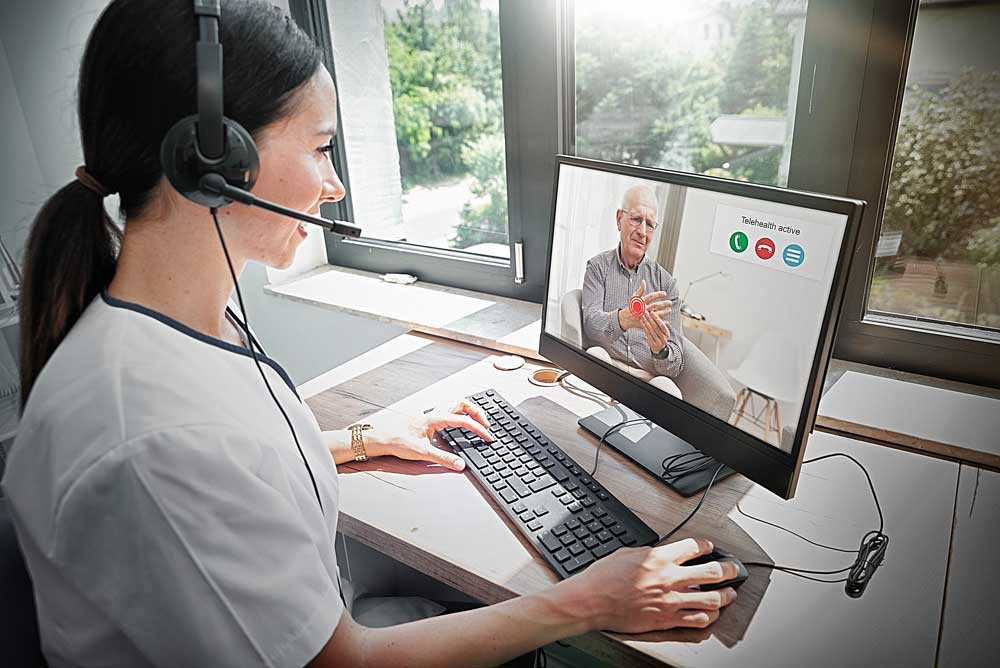
If you have begun or increased your use of Teleconferencing/Telehealth to provide health care, be aware of cyber-attacks.  The FBI issued a notice on 3/30/2020, which warned that bad actors have been hijacking Zoom and other teleconference platforms, disrupting them with pornographic or hate images and language.

The following steps can help to secure your teleconferences:

  • Do not make meetings public.  In Zoom, there are two options to make a meeting private: require a meeting password or use the waiting room feature and control the admittance of guests.  Other platforms also offer security settings such as meeting passwords and waiting rooms.
  • Do not share a link to a teleconference or classroom on an unrestricted publicly available social media post. Provide the link directly to specific people.
  • Manage screensharing options. In Zoom, change screensharing to “Host Only.”
  • Ensure users are using the updated version of remote access/meeting applications. In January 2020, Zoom updated their software. In their security update, the teleconference software provider added passwords by default for meetings and disabled the ability to randomly scan for meetings to join.
  • Lastly, ensure that your organization’s telework policy or guide addresses requirements for physical and information security.

If you were a victim of a teleconference hijacking, or any cyber-crime for that matter, report it to the FBI’s Internet Crime Complaint Center at ic3.gov. Additionally, if you receive a specific threat during a teleconference, please report it to us at tips.fbi.gov or call the FBI Boston Division at (857) 386-2000.

HIPAA Security Emphasis

Prior to the end of support of Windows 7 in January 2020, many covered entities are still working to upgrade their operating system to Windows 10. We have published an article in the October issue of the Advisor® that warns of some documented security vulnerabilities within Windows 10 that must be considered in properly configuring the newer operating system. Following is a link to a whitepaper for proper configuration of Windows 10 (that was issued jointly by Microsoft and HIPAAOne) that you may share with your IT vendor or personnel: https://www.hipaaone.com/wp-content/uploads/2019/06/HIPAA-Compliance-Microsoft-Windows-10.pdf

In addition, the article describes two aspects of a Security Risk Analysis that HHS has recently emphasized. The first is in regard to an asset listing, which is generally addressed in contingency planning. While this list may be helpful in rebuilding the network/information system following a disaster, HHS emphasizes that the listing should first serve as a thorough inventory of all devices that receive, store or transmit EPHI so that appropriate security measures can be considered for each. And lastly, an asset listing will help practices with multiple locations track the location of devices.

The second item of emphasis is a recommendation from HHS that covered entities establish a business associate listing. It is recommended that any time the services of a new vendor are engaged, the practice determine whether the vendor will qualify as a business associate. If so, the business associate should be recorded in a listing, along with contact information and a description of the services the BA provides. A Business Associate Agreement must be established with such entities prior to providing access to or sending the BA any protected health information. When a covered entity is audited by the Office for Civil Rights, a business associate listing will be requested. Establishing the list prior to an audit will ensure that your practice is able to respond quickly and confidently to the request.

Please see the article in the October 2019 Advisor® for more details.

Cyber Extortion

According to the Office for Civil Rights (OCR), incidents of cyber extortion have risen over the past few years and are projected to be a major source of digital disruption in the future. Cyber extortion is defined as a crime involving an attack or threat of attack, coupled with a demand for money to stop it. In addition to ransomware attacks, where cyber criminals encrypt your data and demand a ransom to restore your access to it, cyber extortion includes threats to make stolen information public, or to delete files altogether.

It is important to realize that even the smallest practices have been a target, due to the fact that patient information is valuable and smaller organizations are sometimes more lax in securing their information systems. Please consider the following recommendations in order to limit your liability exposure:

Security Risk Analysis (SRA) – Ensure that you perform a complete review of your HIPAA Security Rule policies and procedures on an annual basis.  Remember that a SRA involves verifying that you have implemented policies/procedures to limit risk to your electronic protected health information (EPHI).  Current subscribers to Eagle’s HIPAA Compliance System have a complete SRA tool to meet this annual requirement.

Technical Network Assessment (TNA) – A TNA involves a diagnostic evaluation of your information system to look for open unsecured ports, devices missing security patch updates, enabled User IDs that should have been terminated, and more.  Documentation from a TNA works in concert with a SRA, and provides strong evidence of applying reasonable safeguards to limit risks to patient information.

Workforce Privacy and Security Training – Awareness for privacy and security is critical to the front-line defense for your information system.  Eagle provides privacy and security training in the April and May issues of the Advisor® to help with this task.  Eagle also provides  “Compliance Notes” (a monthly one-page article in the Advisor®) to remind staff about privacy and security issues.  Train staff to identify suspicious emails and messaging scams that could lead to malicious software infecting your information system.

Anti-virus or anti-malware systems – Ensure that you have a strong firewall and anti-virus applications that can scan your information system and provide alerts when suspicious activity occurs.  The keys are to implement such applications and monitor the alerts so that immediate corrective actions can be taken.

Data backups – Your data backup procedures should ensure that backup data is encrypted and disconnected from your local server/network (having the data physically taken off site each night or backed up to a secure remote server).  Having the backup data stored off site will be critical to your recovery in the event of a disaster or attacks from ransomware.

Audit Logs – While most EMR and operating systems have robust audit logs, they need to be periodically reviewed for unusual or suspicious activity. Create a schedule of reviewing activity reports on at least a monthly basis.

Threats to your information system and the patient data that you store will not diminish in the future, they will likely intensify.  Take steps now to ensure your EPHI is protected from known threats by completing a security risk analysis and technical network assessment. These evaluations will help you improve the security of your practice’s information system and reduce your liability. 

Secure Text Messaging

Due to the speed and convenience of texting, many physicians use this form of communication to consult with other providers, exchange lab test results, and other patient information. If text messaging is used to transmit or receive electronic protected health information (EPHI), it must be evaluated as part of the covered entity’s Security Risk Analysis. As with all transmissions of EPHI, safeguards must be in place to ensure the integrity and confidentiality of the data.

There are several secure messaging vendors in the marketplace that offer encrypted mobile applications that will secure messages sent to the provider’s phone, responses sent back, as well as data at rest. Data that is properly encrypted is considered “secure” by Security Rule standards.  This means that the data has been rendered unusable, unreadable or indecipherable to unauthorized persons or entities.

In addition to the threat of malware or interception of text messages, the risks posed by the theft or loss of a smartphone must also be considered.  If the EPHI stored on the device is not properly secured, the theft or loss could result in a privacy breach that would not only require notification of affected patients and the Department of Health and Human Services, but also the media if the breach were large enough.

All text messages containing EPHI, whether encrypted or not, should be managed with the following minimum safeguards:

  • Information that individually identifies a patient or a patient’s specific condition should be limited to the minimum necessary.
  • Immediate reporting of a lost or stolen device must be encouraged so that actions can be taken to secure the device remotely, and/or to provide notice to patients if the EPHI was unsecured.
  • Any EPHI that is received via text, that is used to inform a decision regarding a patient’s care, must be annotated in the patient’s medical record.
  • Text messages should be deleted on a regular basis in order to limit the amount of information stored on a device. If the information is no longer needed, storing it only increases the risk of a large privacy breach, etc.
  • A Business Associate Agreement is necessary with any vendor that stores text messages (containing EPHI), such as wireless carriers or telecommunication vendors.

The covered entity’s Security Officer should maintain a list of all mobile devices that are used to send/receive text messages containing patient information so that he/she can ensure that the information is properly removed from the devices prior to re-use, donation or disposal.

Phishing Scam

On November 28, 2016, the Office for Civil Rights (OCR) released a bulletin alerting covered entities and business associates of a phishing email scam that is circulating. Please read the contents of the notice below, and be alert for a possible phishing email that you could receive.


It has come to our attention that a phishing email is being circulated on mock HHS Departmental letterhead under the signature of OCR’s Director, Jocelyn Samuels. This email appears to be an official government communication, and targets employees of HIPAA covered entities and their business associates. 

The email prompts recipients to click a link regarding possible inclusion in the HIPAA Privacy, Security, and Breach Rules Audit Program. The link directs individuals to a non-governmental website marketing a firm’s cybersecurity services. 

In no way is this firm associated with the U.S. Department of Health and Human Services or the Office for Civil Rights. We take the unauthorized use of this material by this firm very seriously. In the event that you or your organization has a question as to whether it has received an official communication from our agency regarding a HIPAA audit, please contact us via email at OSOCRAudit@hhs.gov.” 

OCR would like to further share that this phishing email originates from the email address OSOCRAudit@hhs‑gov.us  and directs individuals to a URL at http://www.hhs‑gov.us. This is a subtle difference from the official email address for our HIPAA audit program, OSOCRAudit@hhs.gov, but such subtlety is typical in phishing scams.


If you receive an email, and are unsure whether it is from OCR, check the sending email address. If the email is legitimately from OCR, the sending email address will end with @hhs.gov.  Email notices from OCR regarding its audit program have generally come from the OSOCRAudit@hhs.gov email address. Contact Eagle Associates, Inc. at (800) 777-2337 or via email at info@eagleassociates.net if you have any questions.